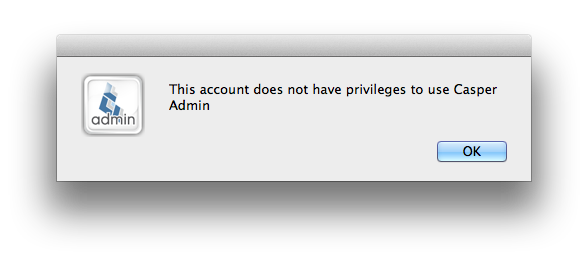
Error: Could not write to /Library/JSS/Tomcat/webapps/ROOT/WEB-INF/web.xml

Standard

When trying to setup a clustered DMZ server as a computer only JSS I received the below error:

Could not write to /Library/JSS/Tomcat/webapps/ROOT/WEB-INF/web.xml

To resolve I needed to enable change management in the JSS. But as the JSS did not have write permission to /var/logs/ I couldn’t enable change management.

So I changed the log location & enabled change management. I could then enable the JSS instance  as computer management only version.

Error: The package does not appear to be on the server (400). / line 1: syntax error

Standard

Recently we setup a 10.7 Mac Server in our DMZ & clustered this with our main JSS to enable external clients connectivity to our JSS & for them to be able to use Self Service & ASUS when off the network.

However we’ve had some issues getting the distribution point to work over HTTPS, however HTTP & AFP worked fine.

Below are some details on the steps taken to investigate this issue, and resolve.

Continue reading

Error: Syntax error on line 241 of /etc/swupd/swupd.conf: Port must be specified

Standard

This morning one of my Apple Software Servers (ASUS) was not supplying updates. When checking the swupd_err.log in Server Admin I saw the following repeated hundreds of times:

Syntax error on line 241 of /etc/swupd/swupd.conf: Port must be specified

Below can be found more details and the solution. Continue reading

Error: OSX Web Service “Error Reading Settings”

Standard

After upgrading my servers to 10.7.3, I received the error message “Error Reading Settings” when clicking the “Web Service” in “Server.app”.

With the release of 10.7.3 Server you can now perform port redirects via the “Server.app.” With that in mind & the fact that I had manually added a redirect as mentioned here, i decided to revert my web service back to the default settings & then apply the redirect using “Server.app”

To reset the web service back to default settings i ran the below with Server.app not running:

sudo serveradmin command web:command=restoreFactorySettings

I then relaunched “Server.app” clicked web service & we were back in business!

How to: Enable non-admins to change DVD region code

Standard

I had an issue where a user wished to change DVD region on their mac. Not being an Admin they were not able to change it themselves from what was initially set.

I use the script from the Casper Resource kit titled “unlockRegionCodeSetting.sh” as part of my First run script. This sets the DVD region to the region of the 1st entered DVD. So this didn’t resolve the issue of letting a non-admin change the DVD region code themselves.

The blog post here, explains the situation & what is required. The below script will merely perform what is mentioned in the bottom section of that post. Therefore allowing non-admins to change region code if they are prompted too.

Continue reading

Error: Outlook 2011 keeps downloading e-mails & never completes

Standard

Last year we migrated our environment from Lotus Notes to Exchange 2010.

As such, we’re using Outlook 2011 on our Mac clients.

Some users accounts would just keep downloading.. after much head scratching & hair tearing we found the issue.

Continue reading

How To: Silently Setup VPN on 10.6 & 10.7

Standard

The below is hugely plagarised from a script posted by Mark Bolwell to the Mac Enterprise list.

I use a version of the below in my Casper Imaging workflow to configure the a VPN Cisco IPSec network connection. As i run it at Imaging time i’ve added some logic so it only runs on MacBook models (which you may wish to remove).

The difference for using the below to the other versions i’ve seems is that this method can be ran “silently” with no GUI interaction. As such it can be leveraged to be used with Self-Service.

Continue reading

How To: Port Redirect Web Traffic On Lion Server

Standard

UPDATE: With the release of 10.7.3, you can now do this via "Server.app", so i'd advise against the below method. If you have used the below & upgraded to 10.7.3 & have an error in "Server.app" when managing the web service, click here.

Port redirection is (simply put), where an end user enters: http://mygreatwebsite.com & they are redirected to http://mygreatwebsite.com:(someport).

On Snow Leopard server you could easily set port redirects from within the Server Admin.app, but in Lion server this has all been changed.

The basics of how to enable virtual hosts on Lion server, is covered in this post. As well as links to the more advanced options.

Once Virtual Hosts have been enabled, editing /private/etc/apache2/extra/httpd-vhosts.conf enable the redirects. 

Continue reading

How To: Enable Virtual Hosts on Lion Server

Standard

UPDATE: The below can now be completed using 'Server.app' & as such i'd not advise you perform redirects this way. If you have performed the redirects as directed below, you may have an error which has a resolution mentioned here.

With the move to Lion Server, Apple stripped moved administering the Web service from the new Server.app.

This over-simplification has caused me some head scratching as many of the options I’d become familiar with had been replaced with little more than an On/Off switch.

But don’t fret! It turns out that these options still exist, it’s just you need to hunt for them.

Virtual hosts are best explained in the opening paragraph here. To enable this on Lion Server do the following

Continue reading

How To: Turn off Wireless Card

Standard

We run the following on all macs with a wireless card as a offline policy via Casper at logout.

This script will:

  1. Enable the wireless service if it’s not been enabled.
  2. Clear any set DNS servers & search domains (can be turned off for 10.4, reasoning is that 10.5+ can receive DNS from DHCP)
  3. Turns off the wireless card.

The script itself has been built from a few scripts contained within Caspers Resource Kit & then modified for 10.7+ by myself.